Introduction
RANT is the Robotics Automation Networking Toolkit. It consists of a small pub sub middleware library and a set of powerful and easy to use tooling built around it to make development as easy as possible.
Install
Linux & MacOS
curl -fsSL https://get.rantlib.dev | shWindows
irm https://get.rantlib.dev | iexStart your first node
If this is your first time using RANT it will be useful to see an example. We will create a new rant project with the template workspace:
mkdir Example
cd Example
rant new workspace --lang python
This will initialize the current directory with a workspace template (it does not create a new directory for the workspace). We will use python, but you may use cpp, or csharp as well.
Now lets see what exists here. This will list all rant nodes in the workspace and will also show a list of online nodes if there are any.
You should see two: talker and listener:
rant ls nodesNODES
(none)
NOT RUNNING
Example/listener python src/listener.py
Example/talker python src/talker.pyThe example includes one run group: Example.run. This defines a node group that runs together.
Start it:
rant run ExampleExample/Example
● talker started pid 26788 logs/talker.log
● listener started pid 62548 logs/listener.log
2 started, all running after 2 sNow that both nodes are running we can list what is active on the network:
rant ls nodesNODES
Example/Example:
● talker ● listener
NOT RUNNING
(none)
rant ls entitiesENTITIES
Pose topicAs you can see our two nodes are running, and there is a topic named Pose. Lets see what data is on it:
rant sub PosePose from talker 2.0 Hz 9 messages
position:
x: -0.82
y: 0.57
angle: 16.67This is great but it is not very visual. So lets install the explorer and open it:
rant install explorer
rant explorer
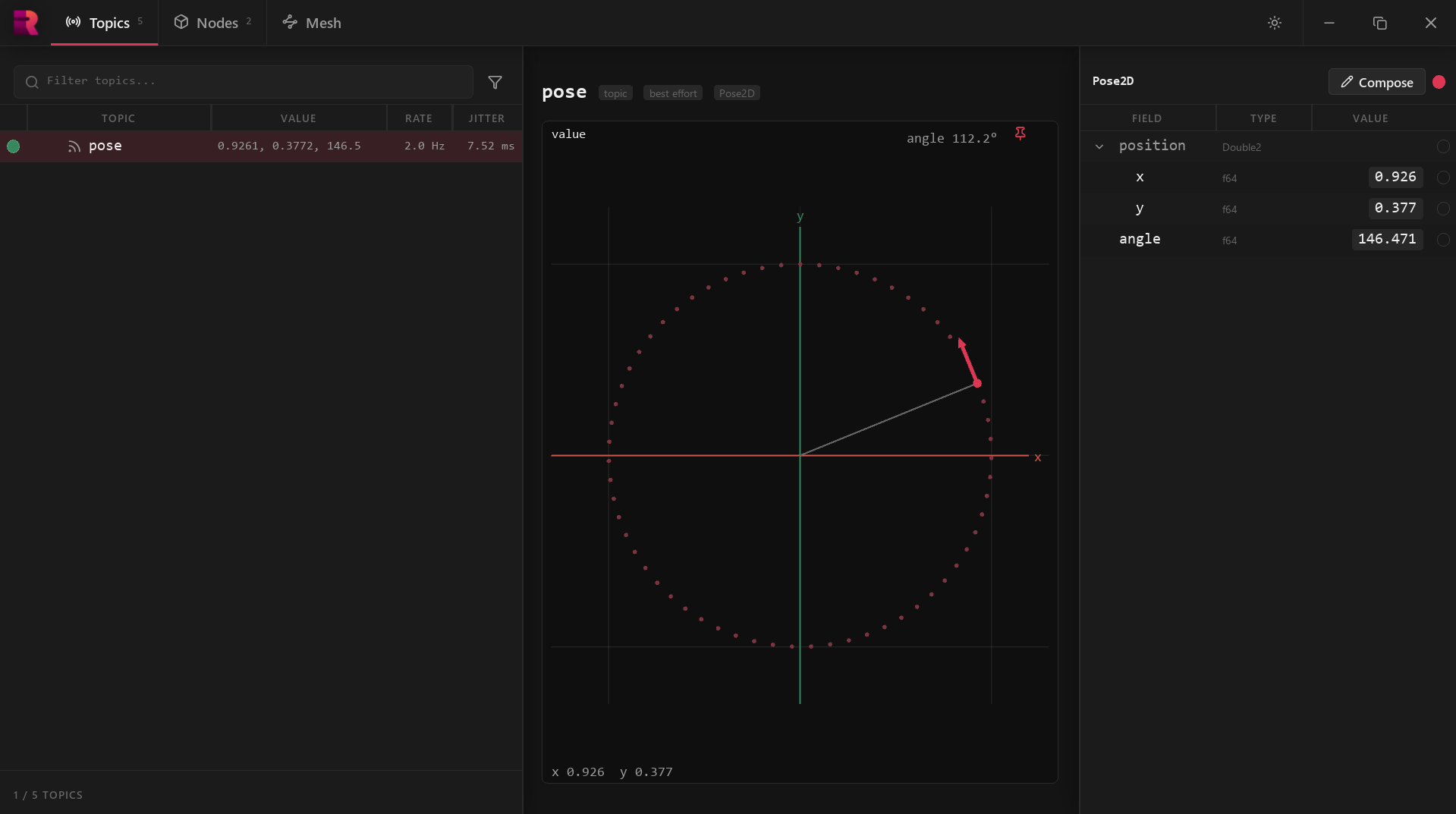
now we can see the list of topics (just Pose). Click on Pose to show it's value: